

Everything you need to compile and run Java apps
Java Development Kit is the official development kit for the Java programming language. Programming in any computer language simply requires a text editor and knowledge of syntax, as well as a clear idea of what is you're trying to create. You then need a compiler to run as an interpreter to translate your code into something understandable. It's an interesting alternative to Java Runtime Environment and RText.
Top Recommended Alternative

Mastering Java
Java is one of the most popular coding languages out there, and Java Development Kit (or JDK) is its official development package. Currently, Java Development Kit is also one of the most popular development environments in which to code Java. It includes graphical IDE (like Eclipse), which requires separate installation.
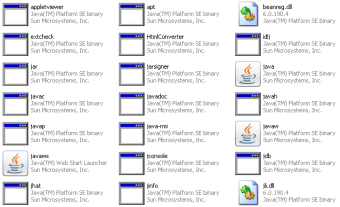
In addition to the Java Virtual Machine that is essential to perform certain Java-based program types, Java Development Kit has a wide range of tools such as javac, the Java bytecode compiler, javap, disassembler class, and jdb, which is a debugger. You'll find them in Java Development Kit's subdirectory bin.
What to expect from Java Development Kit
Unfortunately, if you have very little or no previous experience coding in Java, Java Development Kit is incredibly complicated to learn without aid. Coding novices might find this kit a bit over their heads, although there are some demos and example codes provided within the kit itself.
If you're a seasoned Java programmer, Java Development Kit is an absolutely essential coding tool.
Java Development Kit is the official development kit for the Java programming language.
Programming in any computer language simply requires a text editor and knowledge of syntax, as well as a clear idea of what is you're trying to create. You then need a compiler to run as an interpreter to translate your code into something understandable.
Java is one of the most popular coding languages out there, and Java Development Kit (or JDK) is its official development package. Currently, Java Development Kit is also one of the most popular development environments in which to code Java. It includes graphical IDE (like Eclipse), which requires separate installation.
In addition to the Java Virtual Machine that is essential to perform certain Java-based program types, Java Development Kit has a wide range of tools such as javac, the Java bytecode compiler, javap, disassembler class, and jdb, which is a debugger. You'll find them in Java Development Kit's subdirectory bin.
Unfortunately, if you have very little or no previous experience coding in Java, Java Development Kit is incredibly complicated to learn without aid. Coding novices might find this kit a bit over their heads, although there are some demos and example codes provided within the kit itself.
If you're a seasoned Java programmer, Java Development Kit is an absolutely essential coding tool.
Changes
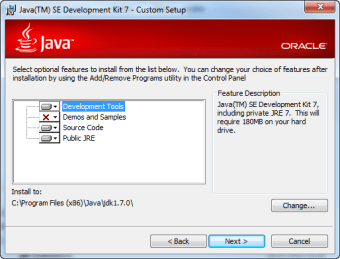
The Java Platform, Standard Edition 7 Development Kit (JDK 7) is a feature release of the Java platform. It contains new features and enhancements in many functional areas. See the developer's website to obtain more information about enhancements, changes, and fixed bugs.







.png)

.png)


.png)
.png)
.jpg)